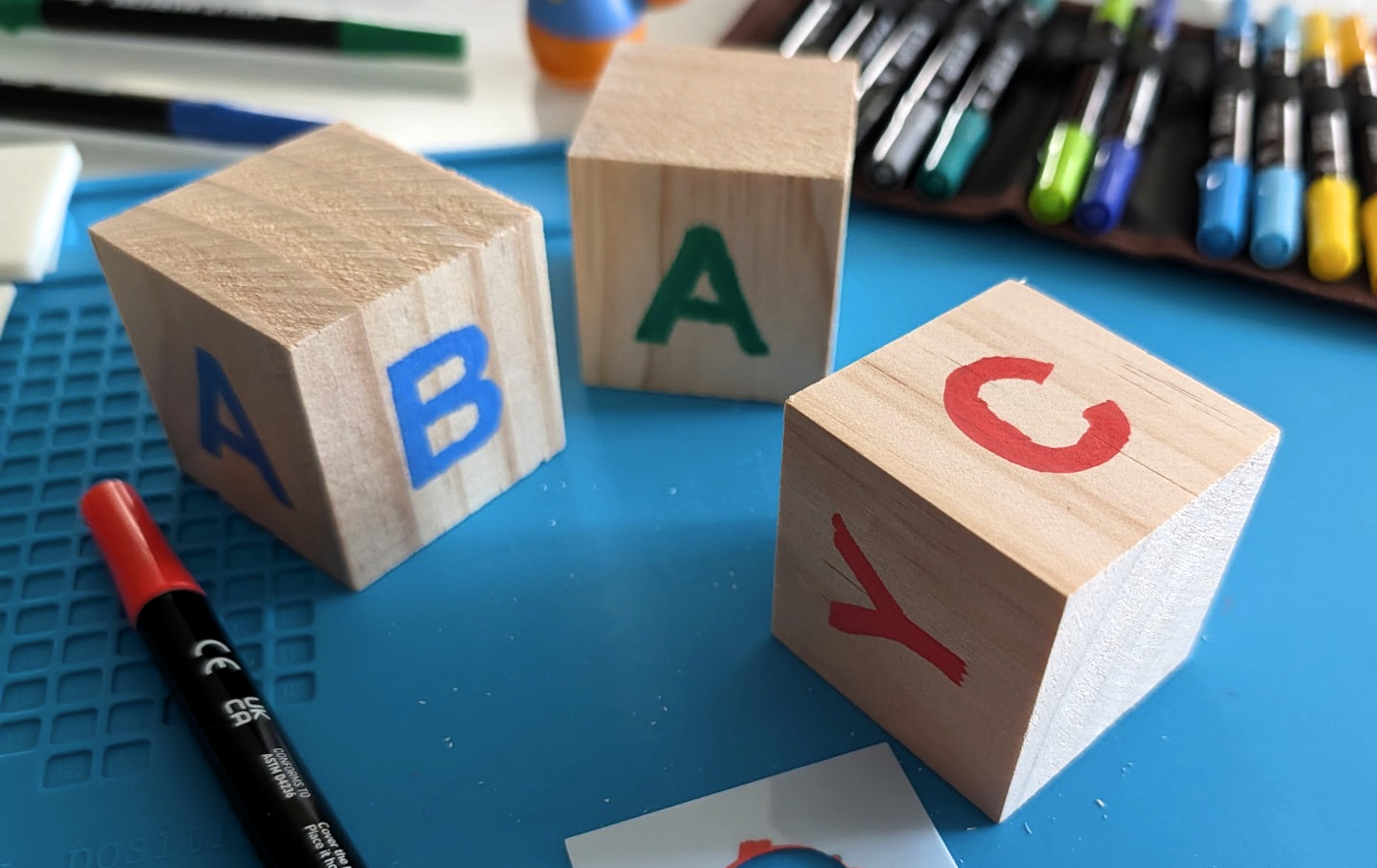
Arts & Crafts & Algorithms
Using "known objects" for Camera Tracking within Gen-AI VFX Workflows
Ever been playing with your kids—or nieces and nephews, if spawning isn't your thing—and while watching them stack wooden blocks into improbable towers, an idea pops into your head: could these blocks be used for 3D camera-matching? After all, they're fairly uniform, I know the measurements, and they'd be fairly easy to paint out.
Naturally, this then sends you down an R&D rabbit hole that may or may not include ordering art supplies from Amazon and which carries absolutely no guarantee of success. I mean, we've all been there, right?
SPOILER ALERT: the wood blocks I started with weren't the wood blocks I ended up using. This is the story of how that happened... and why it even happened in the first place.
Matching Fake Cameras with Real Ones
From the AR games on your phone to hundred-million-dollar VFX blockbusters, this is nothing new getting a virtual camera to align with a real one from a photo or video is nothing new. The techniquie is called camera tracking, also known as matchmoving, and there's no shortage of options for professionals and dabblers alike to choose from. Blender's implementation in particular is genuinely great and 100% free. #LongLiveOpenSource
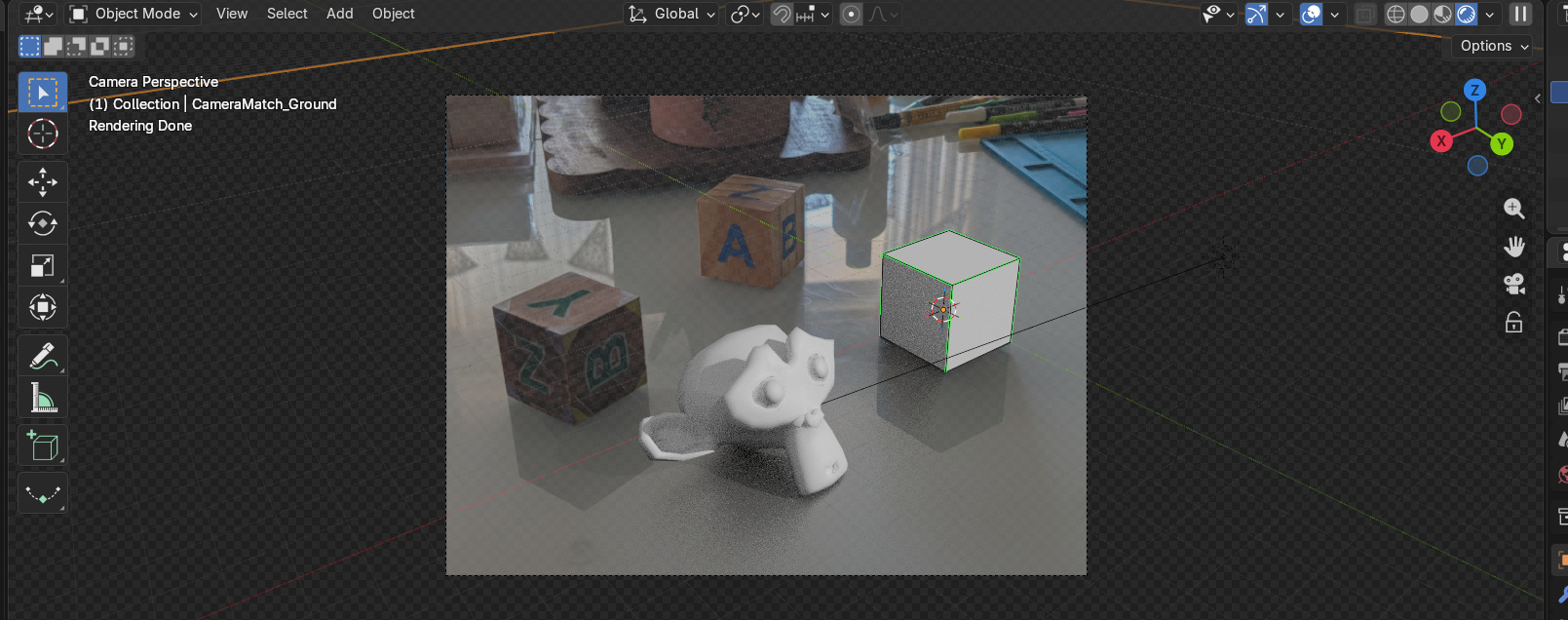
But getting a good track can be a grueling, manual process, and for more complex shots it becomes an exercise in extreme trial and error and cursing. So I guess the real questions this experiment was meant to answer are:
- Can I streamline my camera tracking needs using known objects?
- If not completely, then at least most of the way?
- And... could my daughter's toys help with this endeavor?
But I'm getting ahead of myself. I should probably explain why I was chasing fancy camera tracking at all. This wasn't a masturbatory case of discere gratia discendi ("learning for the sake of learning"). I had a specific, irritating reason: a ditzy AI model that stubbornly refused to follow directions.
Wrangling Rogue AIs
I'd been experimenting with how far I could push local gen-AI within VFX workflows. Specifically, using AI editing models to take statuettes—they're not toys!—I had around the house, "enhance" them up a bit, then place them in fantastical settings. But the robot proved stubborn and kept inventing/hallucinating things I never asked for. Including but not limited to:
- Altering poses and expression - a statuete that was photographed facing right is suddenly facing left in the generated image
- Shifting silhouettes - character legs suddently get longer, because AI models apparently engage in heightism
- Adding features that weren't in the prompt - I asked for the character to be in a crater in the middle of the street, so the model decided to give me a volcano
To combat this mutiny, I decided to build a 3D scene with basic geometry to act as a "guide" for the AI via the ControlNet technique. The plan was straightforward:
- Take a photo of a posed statuette
- Do an AI-assisted vis-dev pass to nail down its final look
- Bring it into Blender to mock up rough geometry around the photographed statuette, which the AI could use as guidance during generation
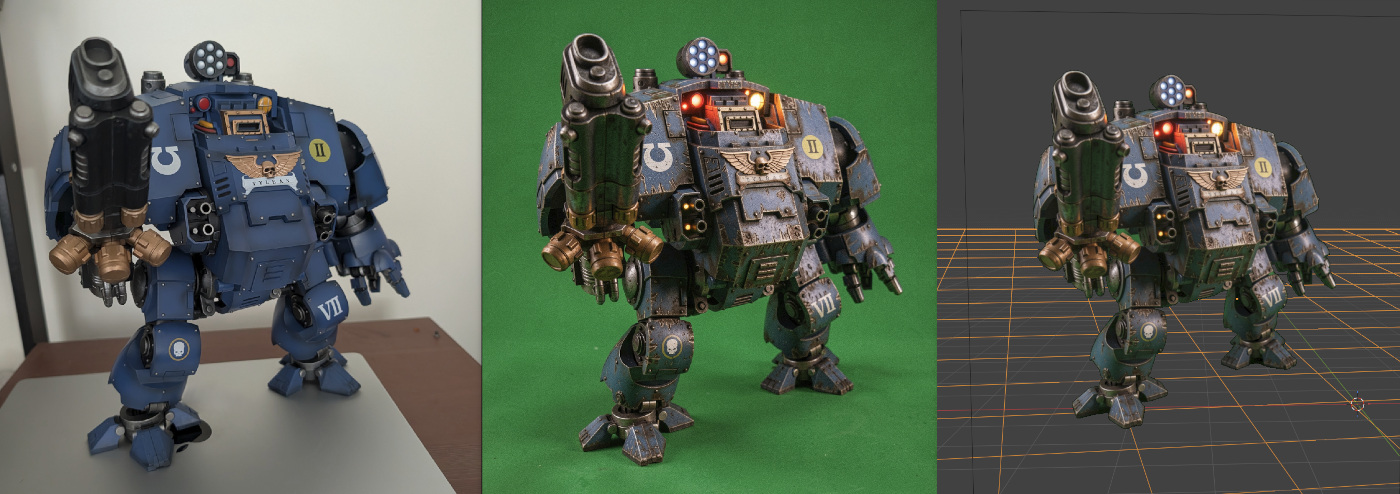
However, doing all of this proved time-consuming — particularly matching the Blender camera to the original photo. So, it's at this point that my kid's wooden toys enter the picture.
Known Objects
The idea was simple: if I already know the exact size of specific objects within a photograph, could I use them to walk backwards and generate a virtual camera and 3D scene?
In essence, I was taking the same approach I use for scheduling a project — starting from the deliverables and timelines and working backward through the phases — and applying it to a VFX workflow. It also gave me an excuse to put Cursor through its paces: could I actually vibe-code a working Blender plugin, or would it fall apart the moment things got specific? I was attempting to kill multiple birds with a single boulder.
My daughter's wood blocks seemed like a natural fit. They're about as regular a shape as you can get — hard to beat a cube — and thanks to a ruer I knew their exact measurements. This is where the false start comes in: I gave my daughter her toys back almost as fast as I'd borrowed them, because it turns out kid-safe wooden blocks are more rounded than you'd think. That rounding makes it nearly impossible to pinpoint a cube's actual corner — the exact point in space where three faces meet, which the camera solver algorithm depends on. This was a non-starter, since at this scale a few millimeters is the difference between a successful track and a failed one.
Undeterred, I sourced some non-rounded, "pointy" wood blocks, painted letters on them to make them easier for a computer vision model to identify — that part's crucial for the automation I'm after, but this post is already long, so I'll cover it separately — and then worked with Cursor to build a plugin that let me quickly tag these blocks within a scene, use them to align the camera, and set up a 3D scene to work with:
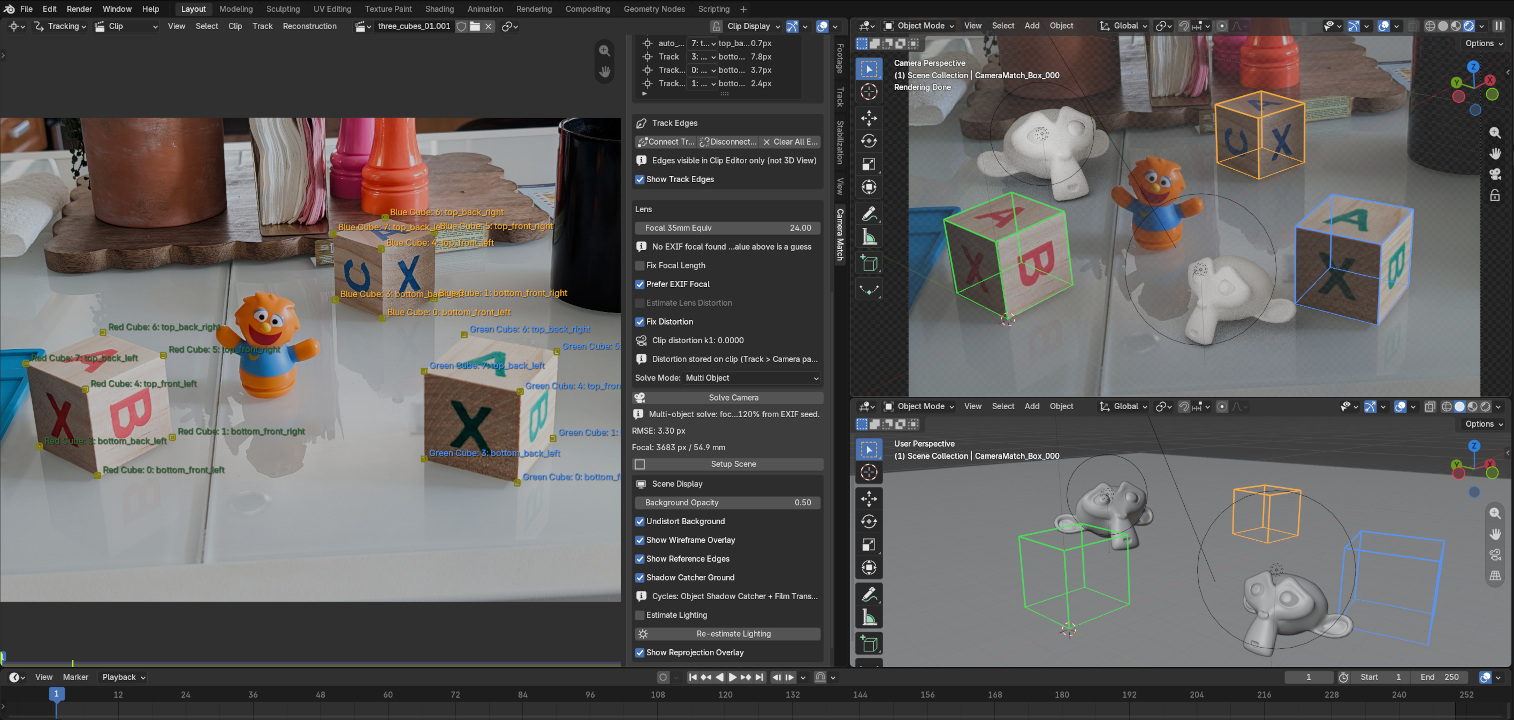
In this example I added a couple of Suzannes (Blender's beloved monkey-head primitive) to the shot and brought it into ComfyUI for further vis-dev exploration:
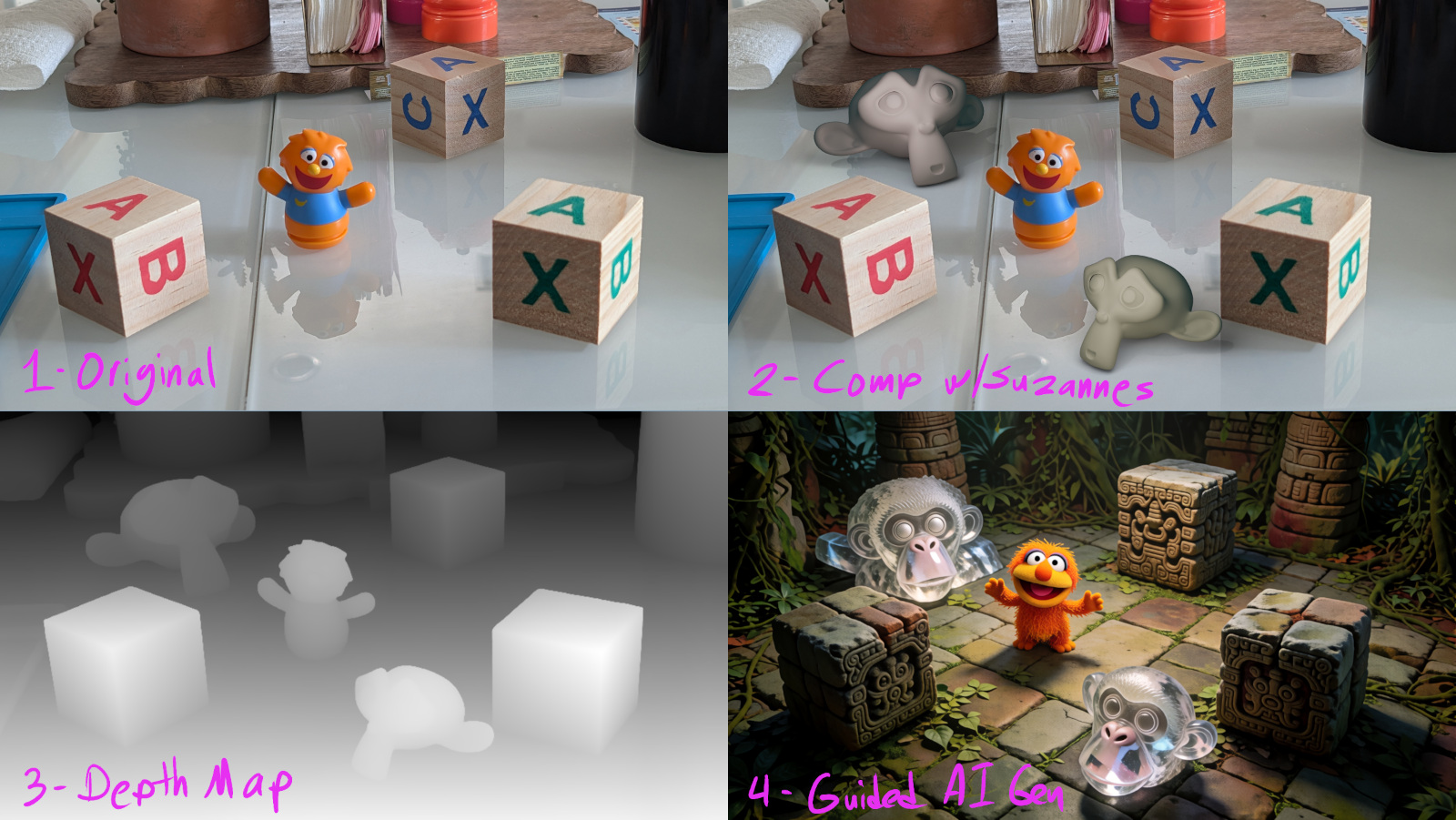


The AI model struggled to make sense of the giant monkey heads — fair, giant monkeys probably weren't part of its training dataset — but the rest of the scene elements were mostly respected.
With the first part of the workflow proved out, next comes the automation: getting the computer vision model to find and identify these blocks on its own, without me tagging anything by hand. But that's a story for the next my next post. Stay tuned.