Local Gen AI for VFX (pt.1)
80% of the quality for 2% of the price… with some caveats.
There is, of course, a catch. Actually a few of them. But if you're Ok rolling up your sleeves, befriending the terminal, and embracing the chaos that are #ComfyUI node graphs, you not only save a ton of money. You also gain control.
Let me be clear though, if all you generate is the occasional video of a cat playing a guitar or an otter trading stocks then by all means stick to the cloud. The big subscription models are fine for dabblers, and you'll save yourself lots of heartache.
Cloud models are also great if you have some serious funds to throw at a project. For example, if you have ~$500k burning a hole in your pocket (I don’t) and some serious technical chops (have some of those) you could make a 95-minute feature film that plays at prestigious festivals.
But if you’re of modest financial means or just want to understand how AI image/video generation works, a local setup is the way to go. A decent gaming PC is enough to get started. You then go to HuggingFace for open source models and YouTube for tutorials, and you’re in business.
No, it won’t be a “one shot” deal like with cloud providers. Yes, you’ll want to rip out your hair occasionally. But, stick with it and the results may surprise you.
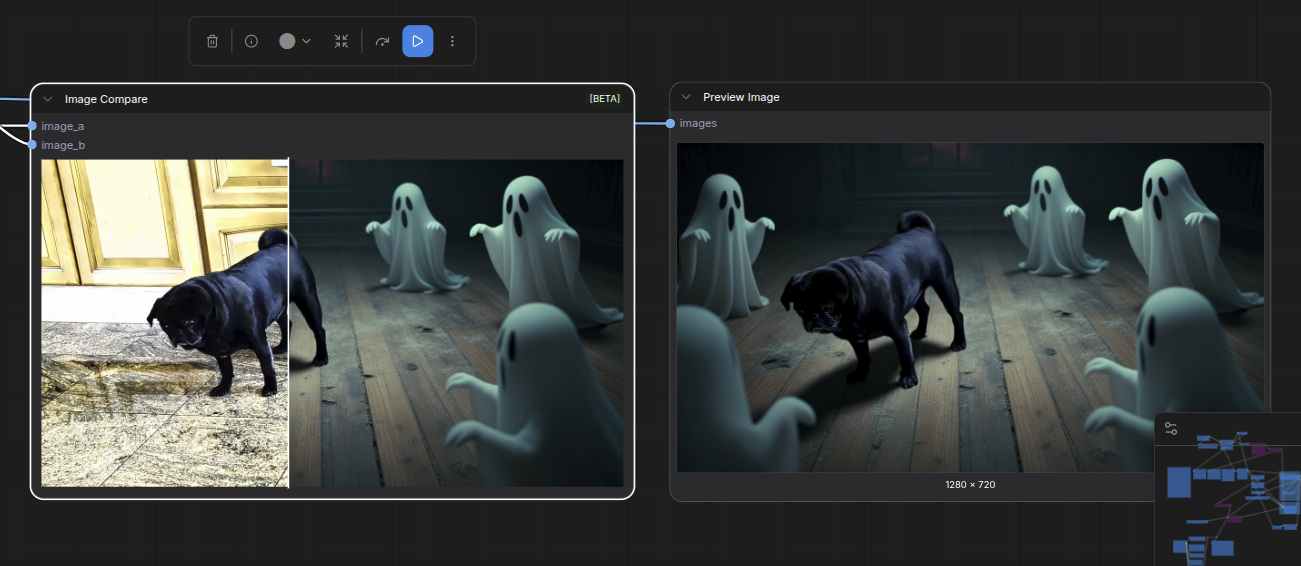
Like in this example where I wanted to take a video of our pug and place him in a haunted mansion:
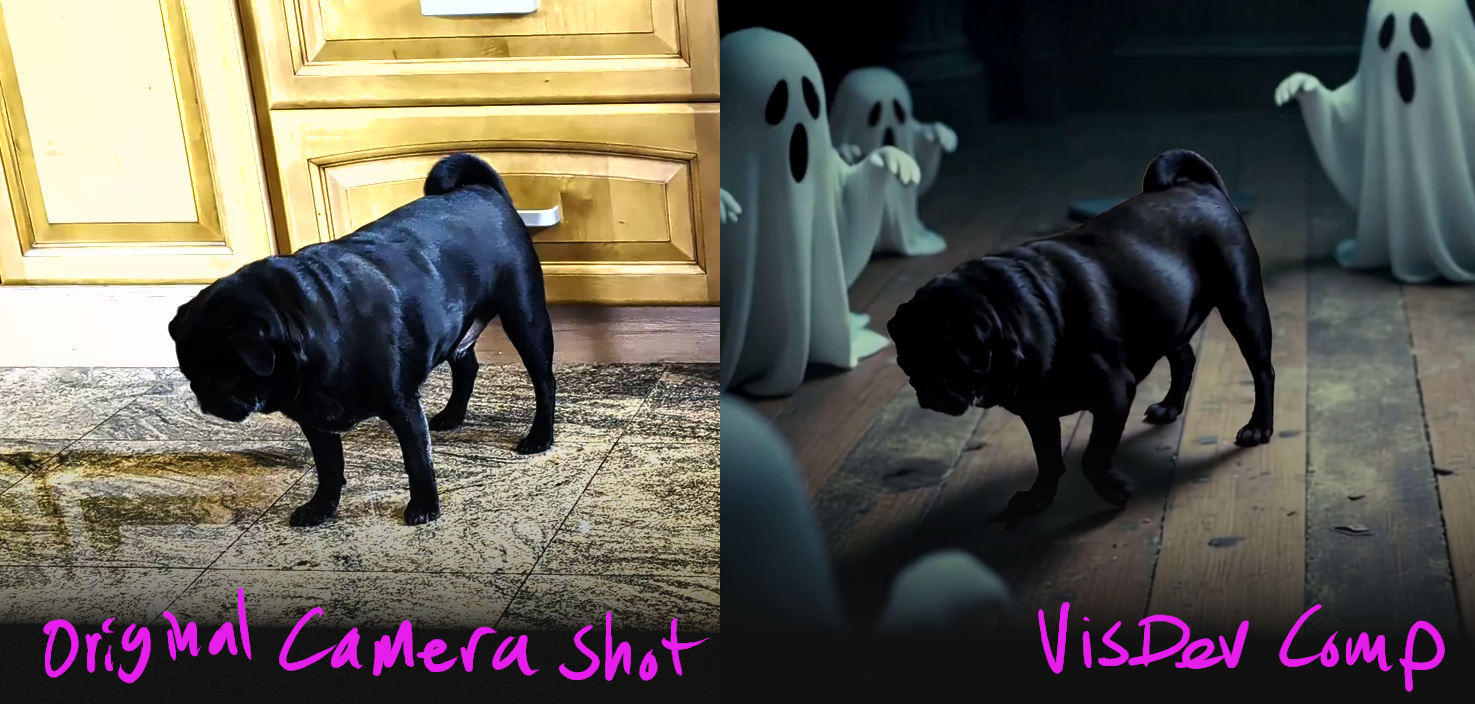
At a high level — somewhere in the neighborhood of the lower stratosphere — the basic approach using ComfyUI with the Meta's SAM3 (Segment Anything 3) and LTX 2.3 open source models is the following:
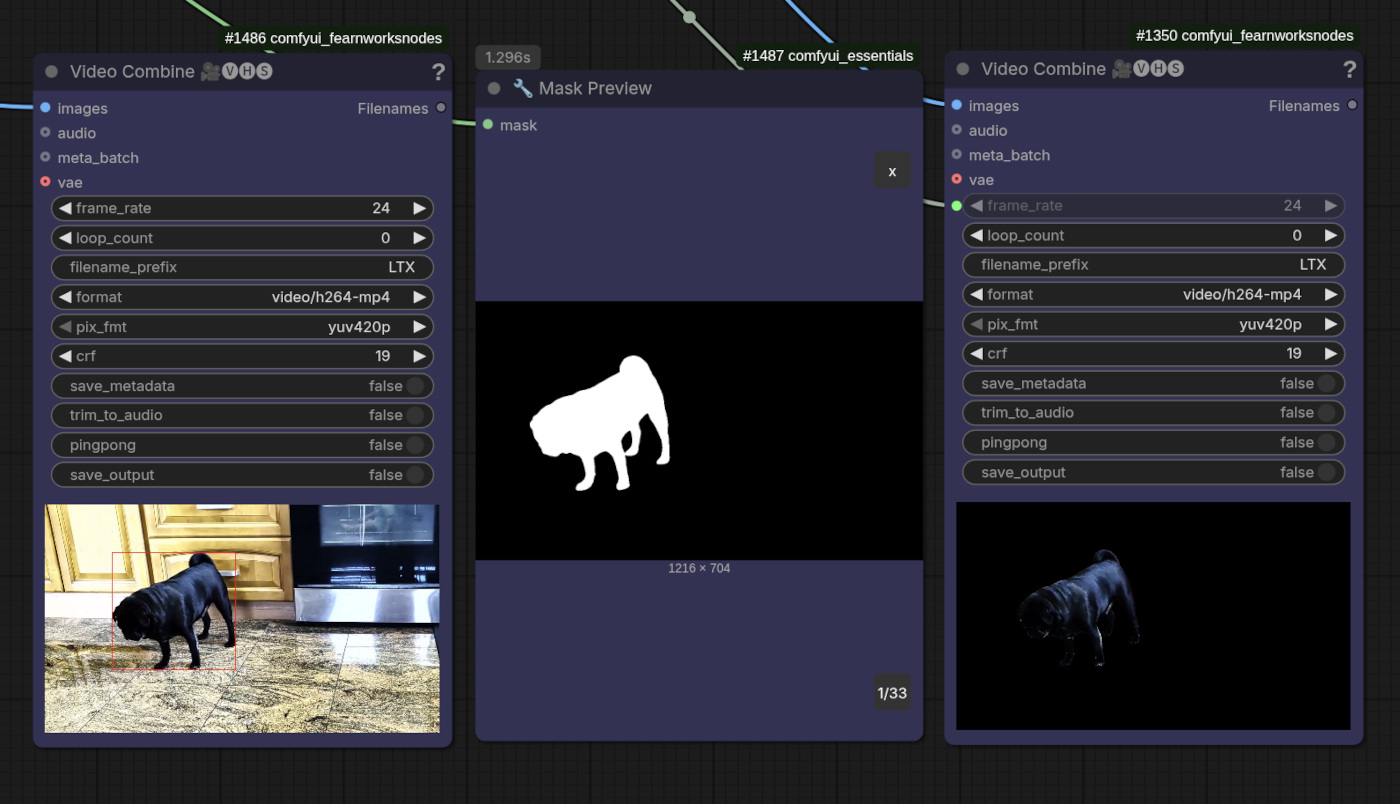
- Use SAM3 to isolate the pug and generate masks to work with
- Using the first frame of the masked footage, generate sample images of what the pug in the haunted mansion would look like
- I used prompting and direct image editing to generate this, essentially doing VisDev
- Also, it's important to use the first frame since it'll act as guidance for the video generation, and the closer you can get to the starting point of what you want generated the less confused the AI model will be
- Once a direction has been chosen (ie. “I want it to look like that!”) use ComfyUI to comp the original masked footage into a new AI generated environment that uses the visdev image(s) from the previous step as guidance
This will then generate a video like the one below, assuming the AI gods accept your prompt and bless you with a decent noise seed:
Is it perfect?
Far from it. I can already see several things in the comp that need work, like the footage integration. But it does serve as a POC and with additional work it should be possible to generate footage that's good enough for streaming or even television. Certainly for demos and pitches. All using local h/w.
Where are the ComfyUI workflows?
They're in flux, and quite honestly not yet ready to share more broadly. Not because I want to horde the knowledge. Rather because I'm still getting things into a structured and reproducible state. At this time, things are still kinda messy. Even for me.
What's next?
Continue experimenting. I have ideas for a “compositing” LoRA that could help ground the pug in the environment more. But video LoRAs are easier said than done, and likely a research project in itself. In the meantime, I'll continue documenting my local VFX experiments here.